A terminal for watching and talking to your agents

Every pane shows what it's doing. Hold to talk to one instead of typing it.

Download for Mac View on GitHub →

Free and open source · Native on Mac, iPhone and iPad · Your agents run on macOS, Linux or WSL

Open source (Apache-2.0)·Native Swift, not Electron·No accounts·tmux underneath — bundled, and fine if you've never used it

One screen

A whole team, one screen

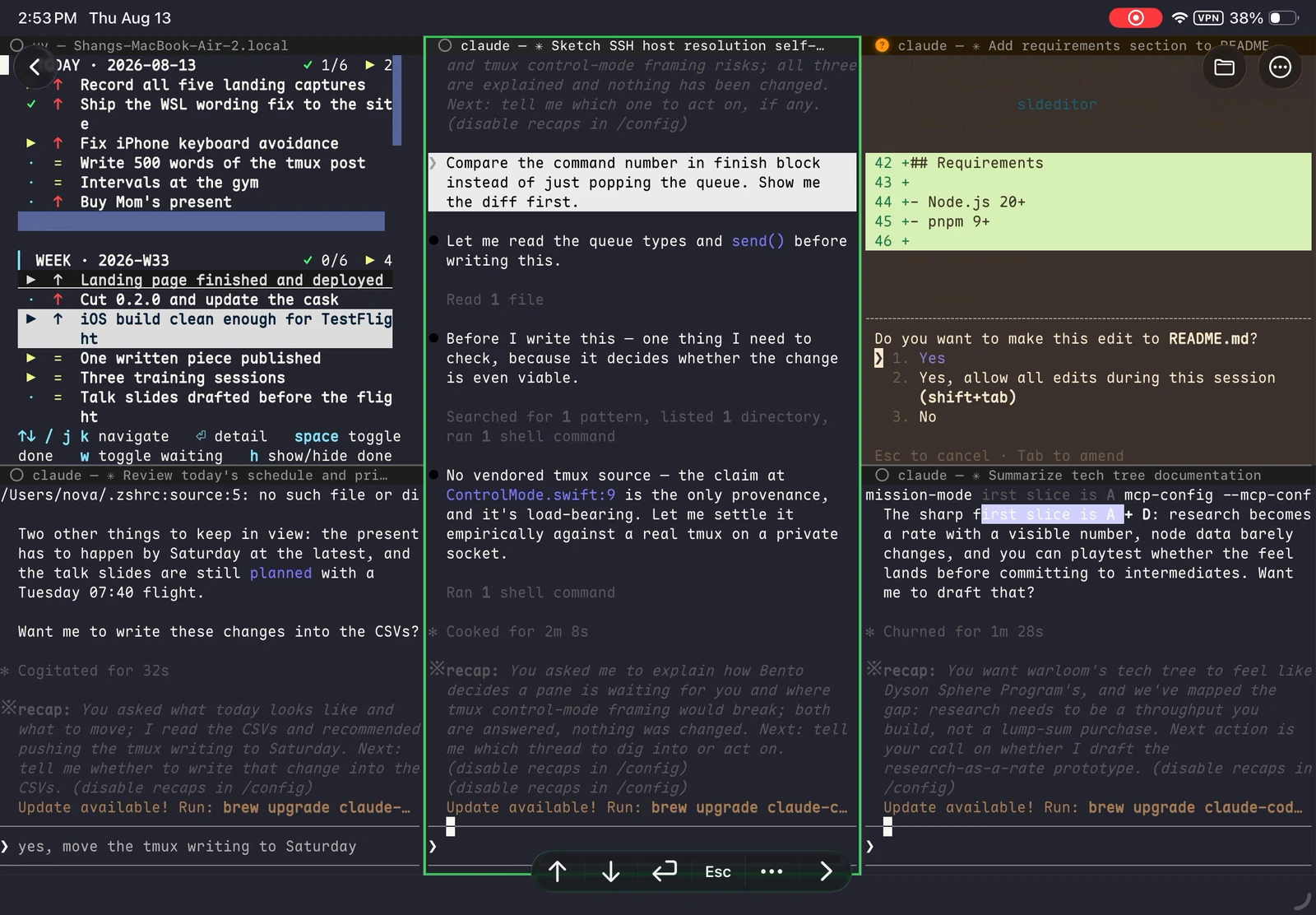
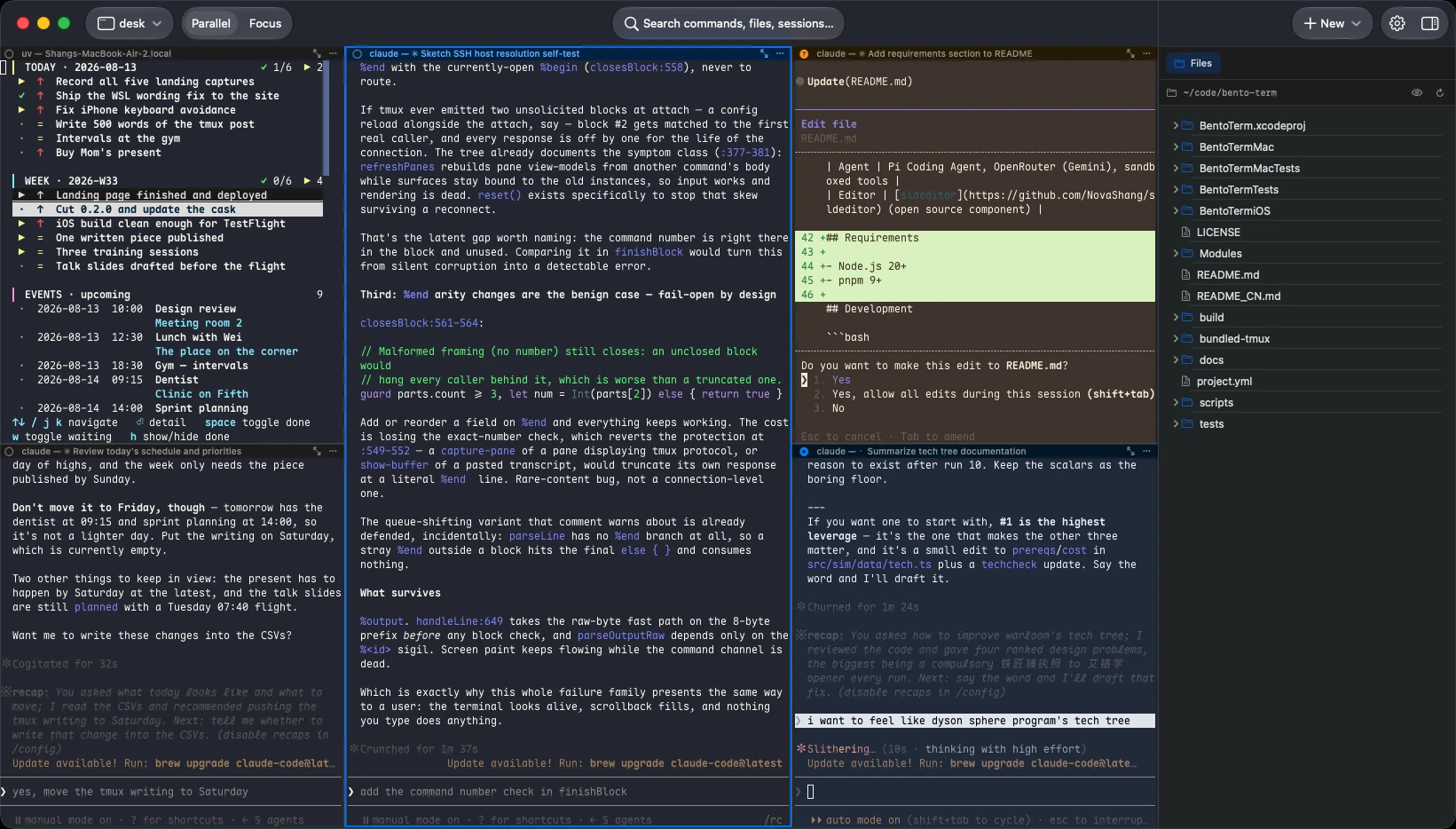
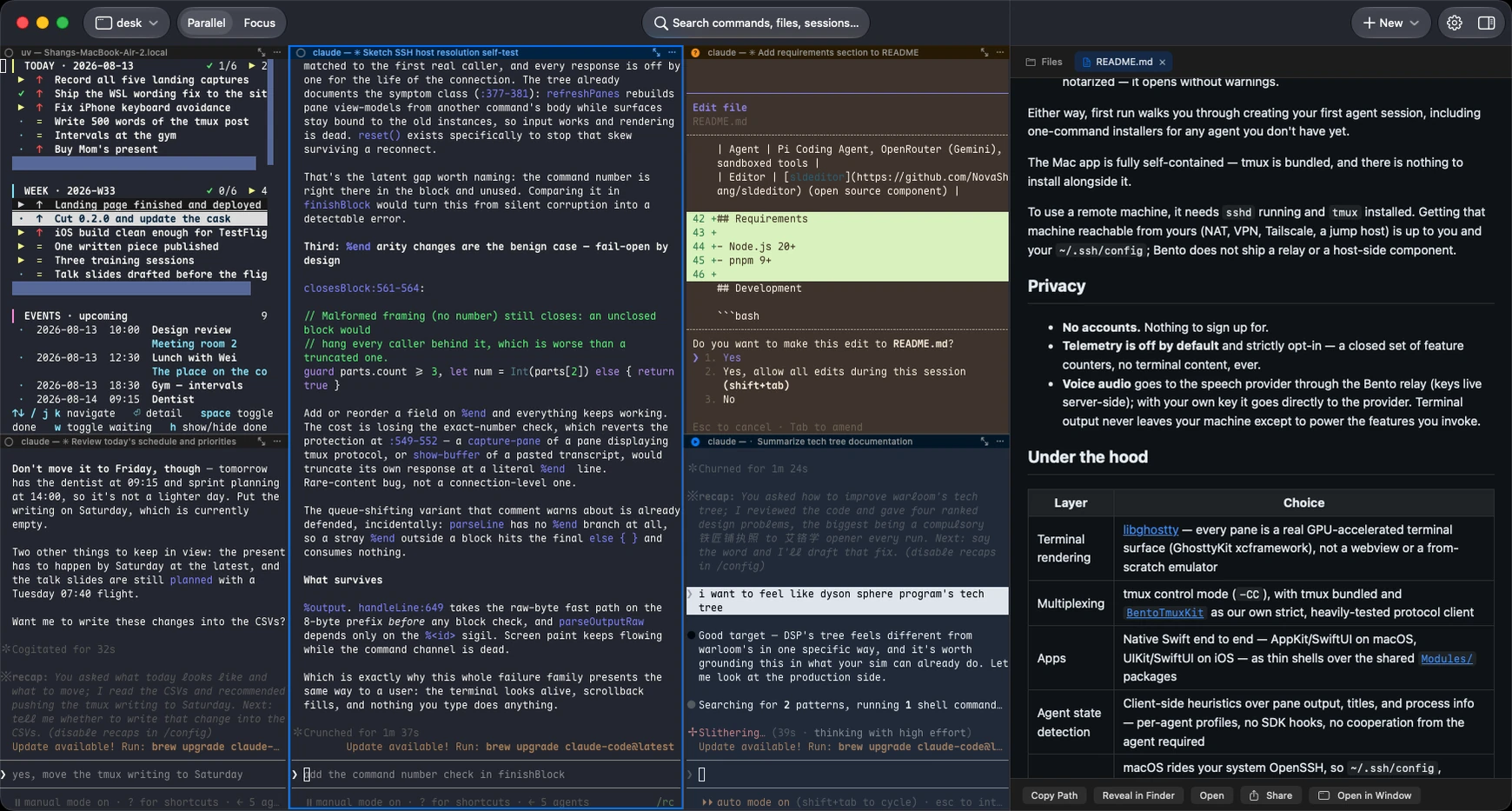
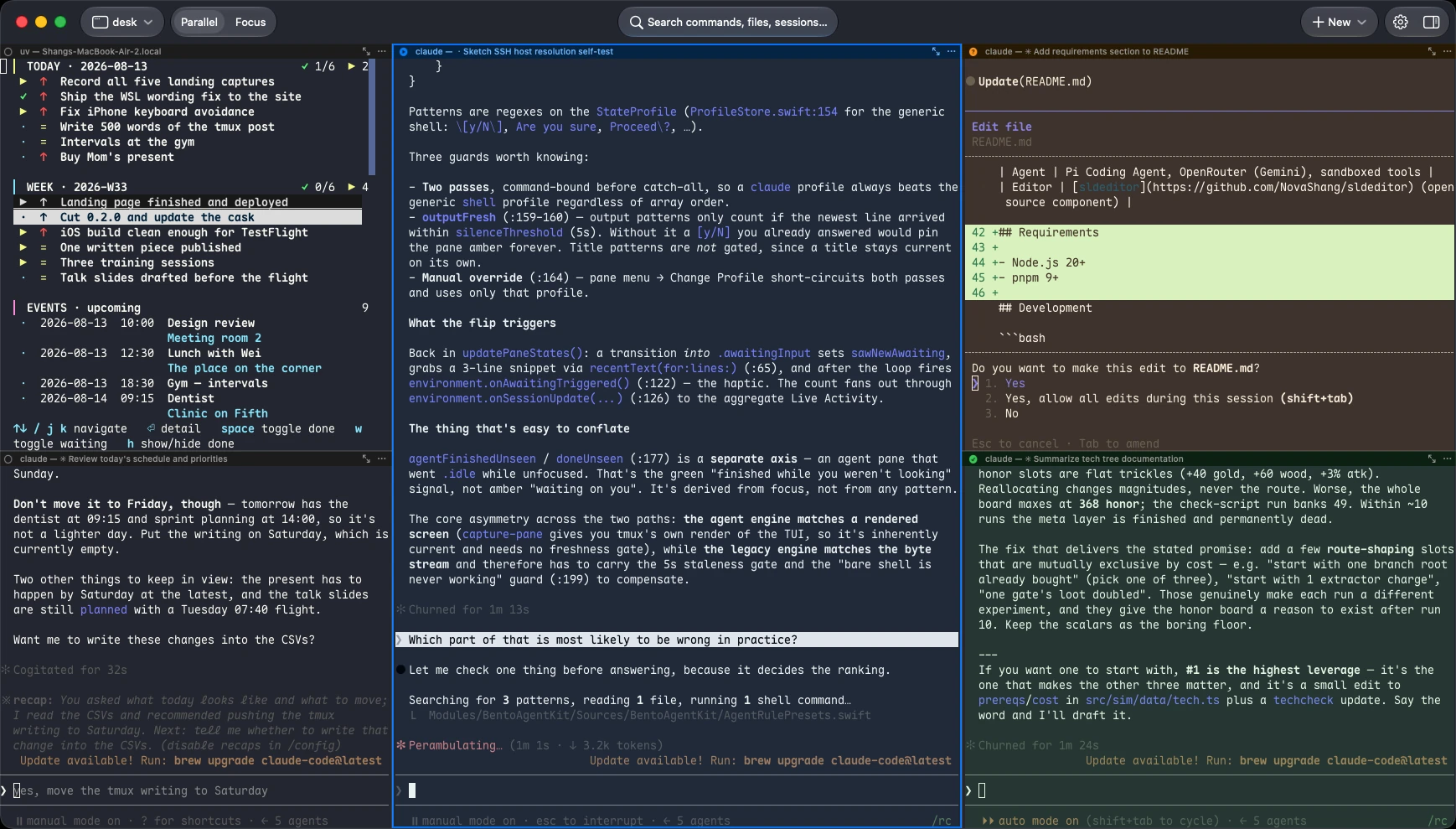
Every agent gets a pane, tinted by what it's doing. You read the room instead of visiting each one.

  • Four states. Working, waiting for you, done-and-unread, idle.
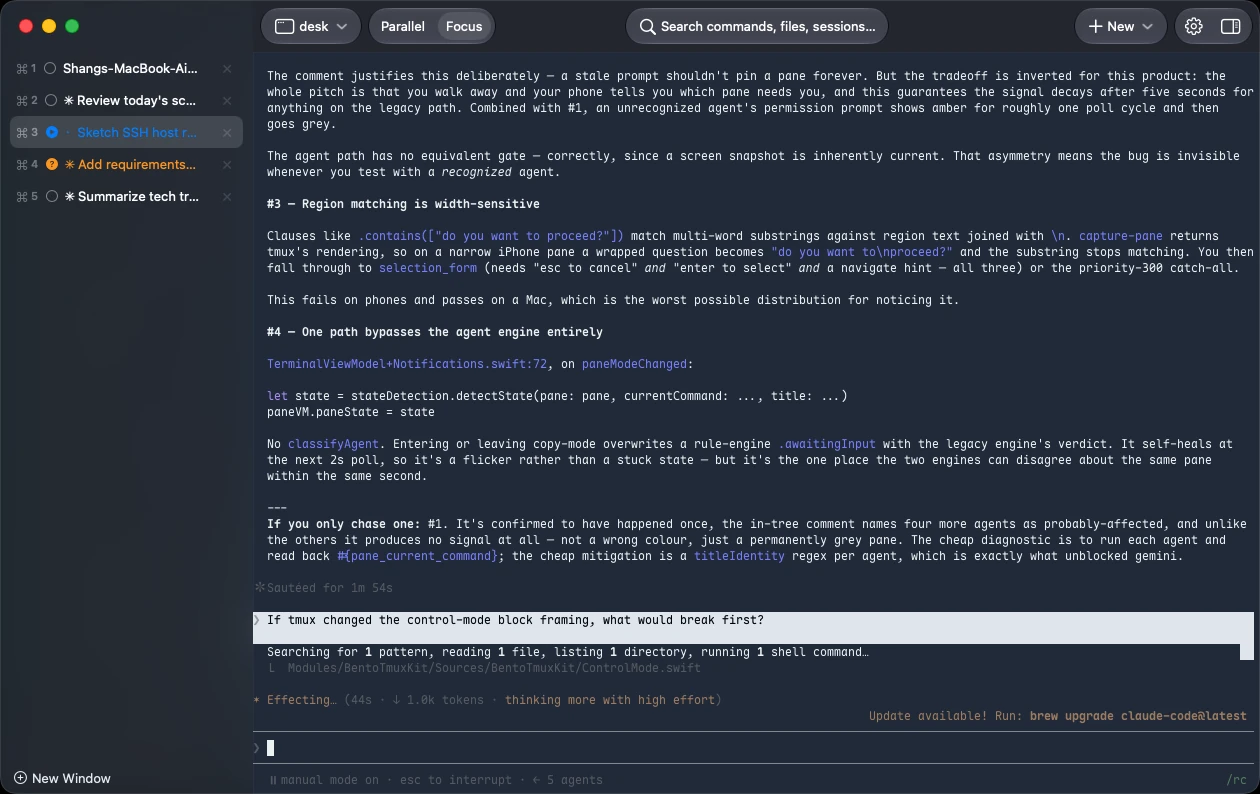
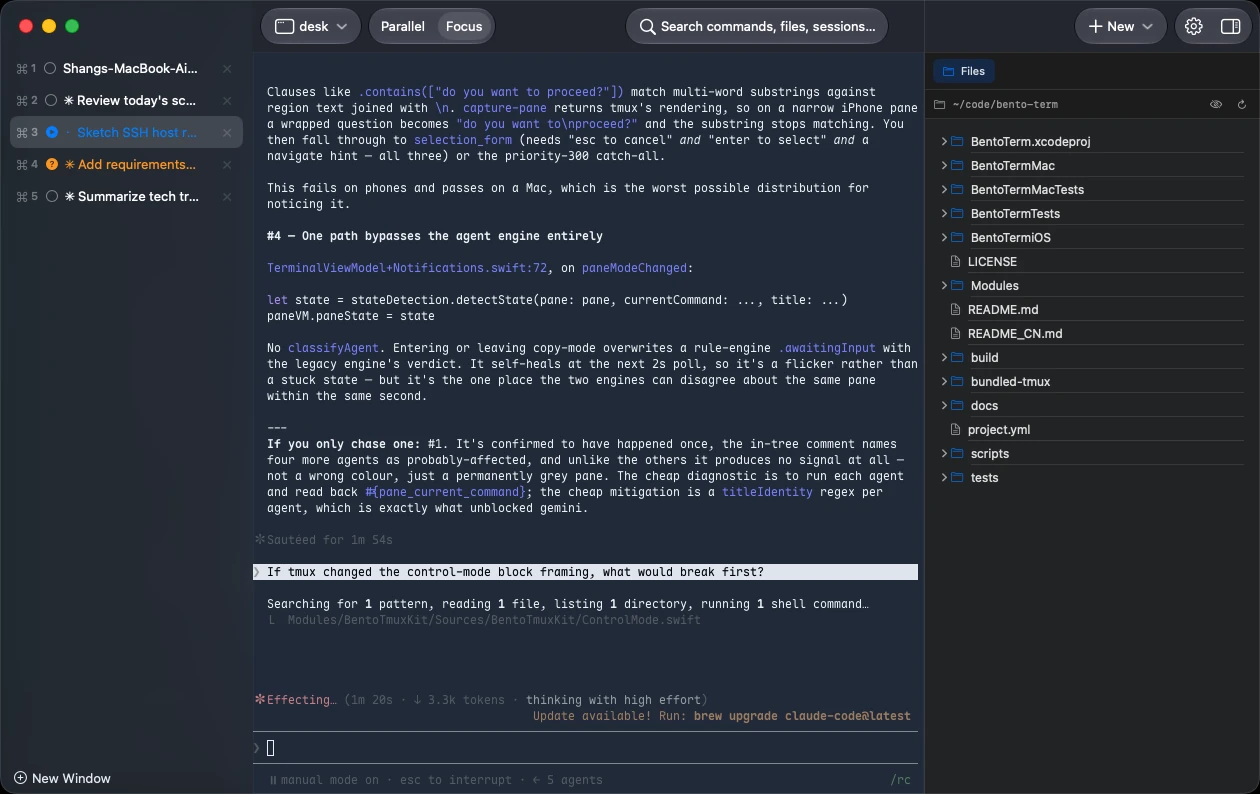
  • Parallel and Focus. All tiled, or one full-size with the rest in a sidebar — switching moves the real panes.
  • Nothing in your shell. No init line, nothing for the agent to cooperate with — states come from what the pane already prints.
Focus mode: one pane full-size, the rest of the session listed down the left. Focus
Parallel mode: every pane tiled at once, each tinted by what its agent is doing. Parallel

Voice

Say it, don't type it

Hold right-click on a pane and talk. You speak about three times faster than you type.

  • It reads the screen, so file names and jargon come out right — including mixed Chinese/English.
  • Slide while you hold. Up sends, down cancels.
  • Three engines. Apple on-device, Qwen, OpenAI — ours, or your own key.

Continuity

Leave the desk, not the work

The work lives on the machine, not in this window. Quit the app, close the laptop, lose Wi-Fi — it keeps going.

  • Real tmux. Your tmux ls sessions, your ~/.tmux.conf, your prefix key.
  • Anything with sshd and tmux. Your Mac, a Linux server, WSL on a Windows box. Plain SSH, and nothing of ours installed there.
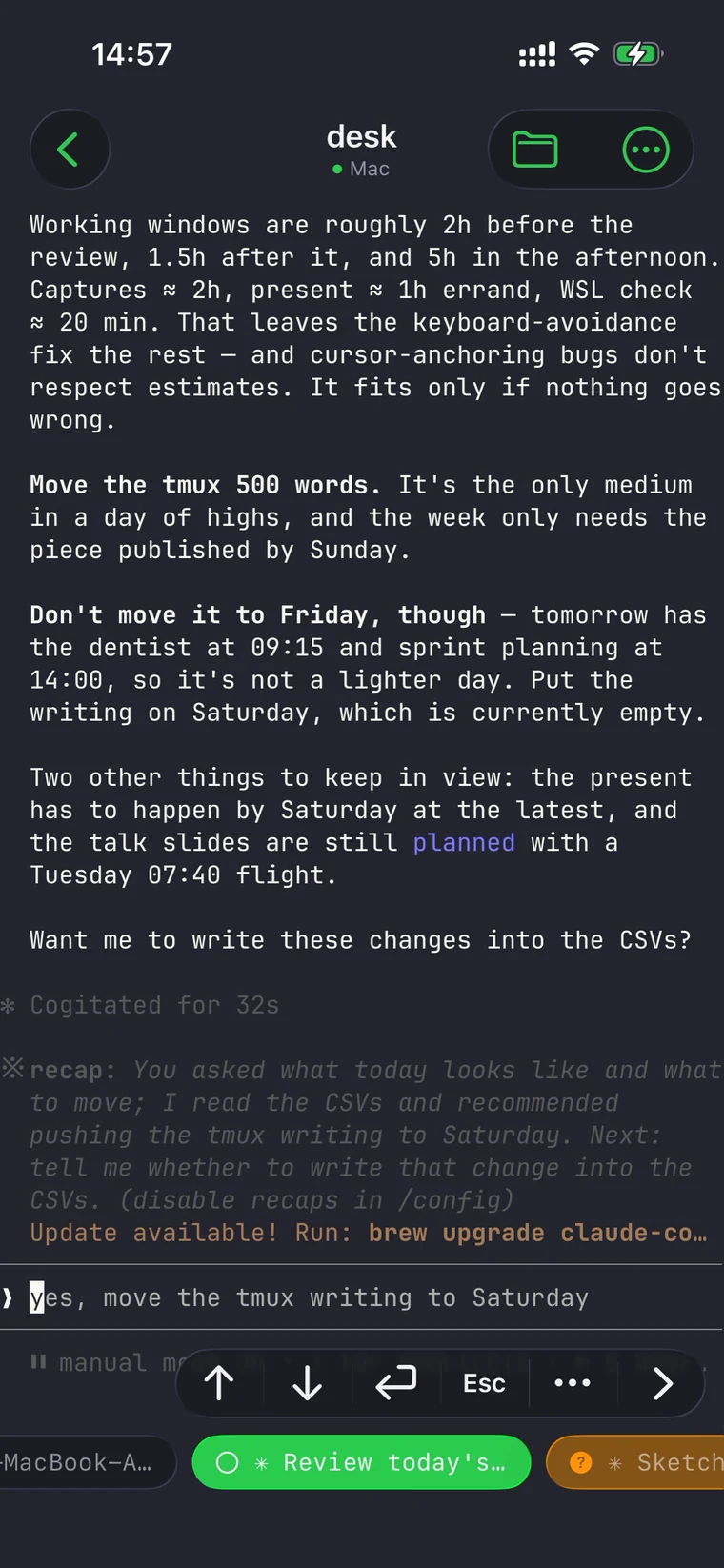
  • Same panes on your phone. Attach from iPhone or iPad, mid-run.

Not three features — one way of working.

Parallel agents make faster input worth having. Faster input keeps parallel agents from piling up. Neither one resets when you stand up. That's the whole argument, and it compounds.

Download for Mac

Day to day

Things you'll use every day

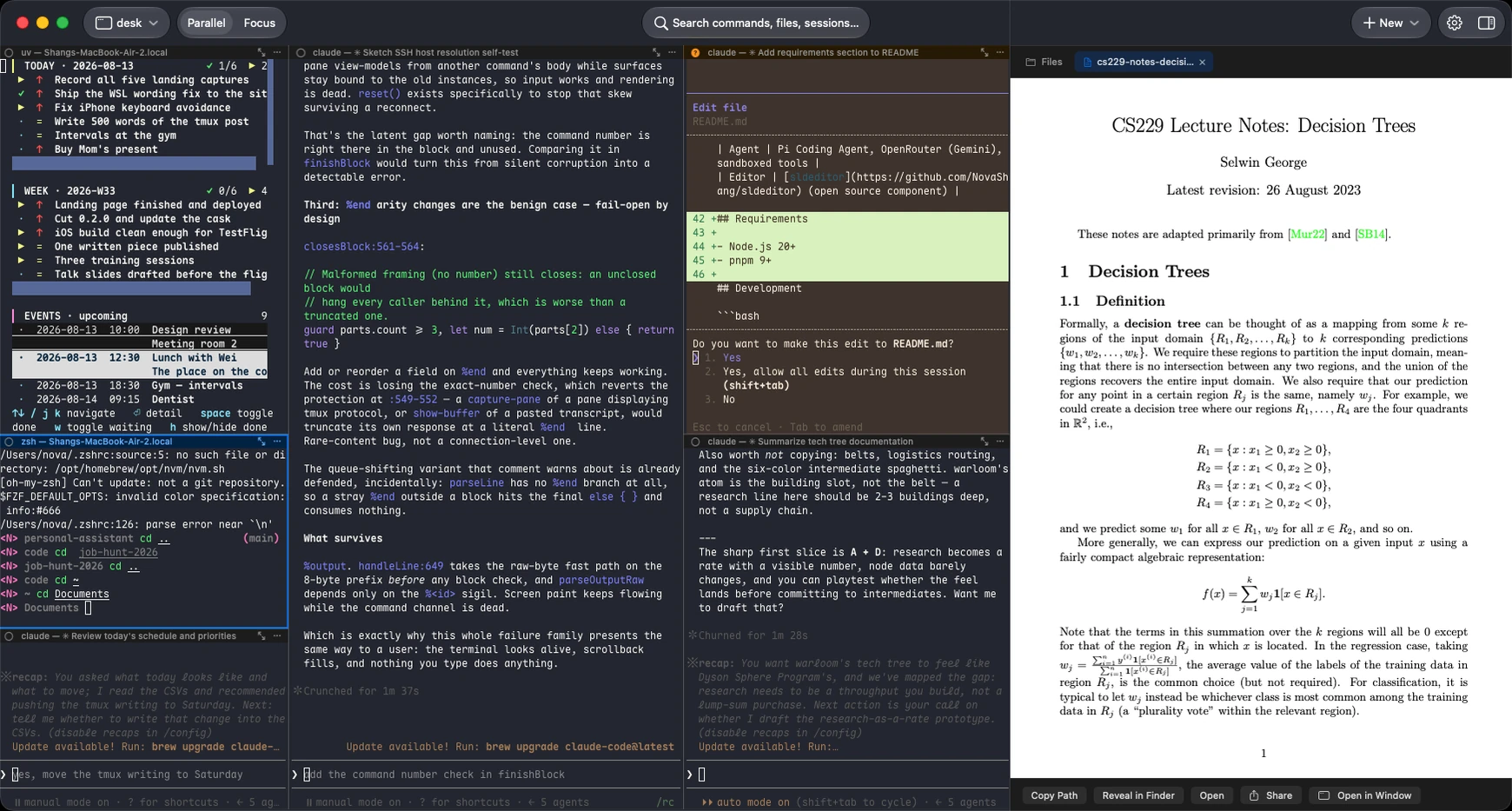
The file tree open beside the panes, rooted at the focused pane's working directory. A Markdown file rendered in the preview panel, with headings, a table and links. A PDF open in the preview panel next to the running panes. The same file tree alongside a single full-size pane in Focus mode.

See the files, not just the output

Every pane carries its working directory, so its file tree is always one click away — any depth, search included. When an agent prints a path, click it; the file opens with syntax highlighting and a line gutter, even at :42, and even if a TUI truncated the line. PDFs, images and documents go to Quick Look. From an iPhone it's the same tree over the same SSH connection — read a file on your Mac or your server, and save it out.

Panes move like windows

Split right or down, then drag a pane by its title bar to wherever it fits — including into another session. Or duplicate one and get a second pane in the same directory running the same thing. It isn't a view of a layout: every drop is a real tmux move, so a tmux attach from anywhere else agrees with what you see.

Never type a command again

If you'd rather not, you don't have to. Pick a folder, pick an agent, pick a layout — Bento opens the panes and starts the agent in every one of them. Four Claude Codes in one repo is three clicks and no shell. Everything after that is one ⌘P away.

Under the hood

Built like a terminal, not a wrapper

tmux control mode

Bento speaks tmux's -CC protocol instead of typing at it: layouts and pane lifecycle arrive as notifications, and almost nothing is kept locally. tmux holds the state, so a plain tmux attach from any other terminal shows exactly what you were looking at.

libghostty rendering

The same GPU-accelerated core as Ghostty, on the Mac and on iPhone and iPad — not a webview, and not a second implementation for mobile. Parsing and drawing run on separate queues, so a frame stalled on the GPU can't freeze your keyboard.

Configurable state detection

Every agent is a profile: output patterns, title patterns, prompt boundaries, quick keys — editable, and extendable to a tool nobody has heard of. Want it deterministic rather than inferred? Have the agent's own hook print a marker and match on that.

And the rest of the box

Small things, done properly

⌘P command palette

Every command, session and pane behind one fuzzy search — and where new features show up.

Your ~/.ssh/config

The hosts you already have, one click from the launcher. Nothing to re-enter.

⌘F in the scrollback

Search runs in the terminal engine, not over a copy of the text — matches highlight in place.

Bring your own theme

Import any iTerm2 .itermcolors. Light, dark, or follow-system.

Any monospaced font you own

Enumerated from the system, not a list of four someone picked for you.

Built for the phone

Keyboard avoidance that follows the real cursor, an inline compose bar for CJK, and proper scroll inertia.

Side by side

How it compares

Bento TermTerminal.appiTerm2GhosttyVVTermWezTermWarp
Split panes Pro
tmux control mode (-CC) in progress
Agent state detection own agents only
Voice input
iPhone & iPad app
File browsing & preview
GPU rendering
Open source Apache-2.0GPL-3.0client only
No account needed AI features need login

As plain terminals these are all excellent — Ghostty's engine renders Bento and VVTerm alike. Checked against each project's site and repo, August 2026.

Privacy

Yours, on your machine

No accounts — there's nothing to sign up for. Your terminal output never leaves your machine; the connection to it is plain SSH, with nothing of ours in between. Two features do reach out, and only when you use them: speech recognition and voice → shell go through Bento's relay unless you put in your own API key. Telemetry is off by default and, when on, is a closed set of event names — never terminal content, commands, paths or hostnames. Read the privacy page →

Questions, answered

Do I need to know tmux?

No — it's bundled and stays out of the way. If you do use tmux, Bento attaches to the sessions you already have, and everything you know still applies.

What do I need on the other end?

A machine you can already ssh into, with tmux installed — macOS, any Linux, or WSL on Windows. Nothing else: Bento Term installs nothing there and runs no server of its own. The app itself is Mac, iPhone and iPad; the machine your agents work on doesn't have to be any of those.

Which agents does it understand?

Ten presets with live state detection — Claude Code, Codex, Gemini CLI, OpenCode, Cursor Agent, Copilot CLI, Amp, OpenClaw, Hermes, Antigravity — plus plain shells and any command you type. Anything runs; the known ones also get states.

How is state detected?

From what the pane prints, on your device, using per-agent rules. No agent has to cooperate, nothing is installed into your shell, and nothing is sent anywhere to work it out. It is pattern matching, so it can be wrong — the color is a hint, not a guarantee.

Can I reach a machine behind NAT?

That's yours to arrange — Bento speaks plain SSH, so a VPN, Tailscale, or a jump host in your ~/.ssh/config all work.

Intel Macs?

Not currently — Apple Silicon, macOS 14+.

What does it cost?

Nothing. Apache-2.0, and the app is the whole product.

Where do I report bugs?

GitHub issues — the tracker is public.
Your agents are already running. Go see them.

Download for Mac View on GitHub →

Free & open source · macOS 14+ · Apple Silicon

brew install --cask NovaShang/tap/bento-term
iPhone and iPad: on the App Store shortly.